Financial Systems Miscellaneous Accounts Tab
After accounts have been imported, create Miscellaneous Account mappings for actual deposit, over, under, and state reimbursement accounts at the building level.
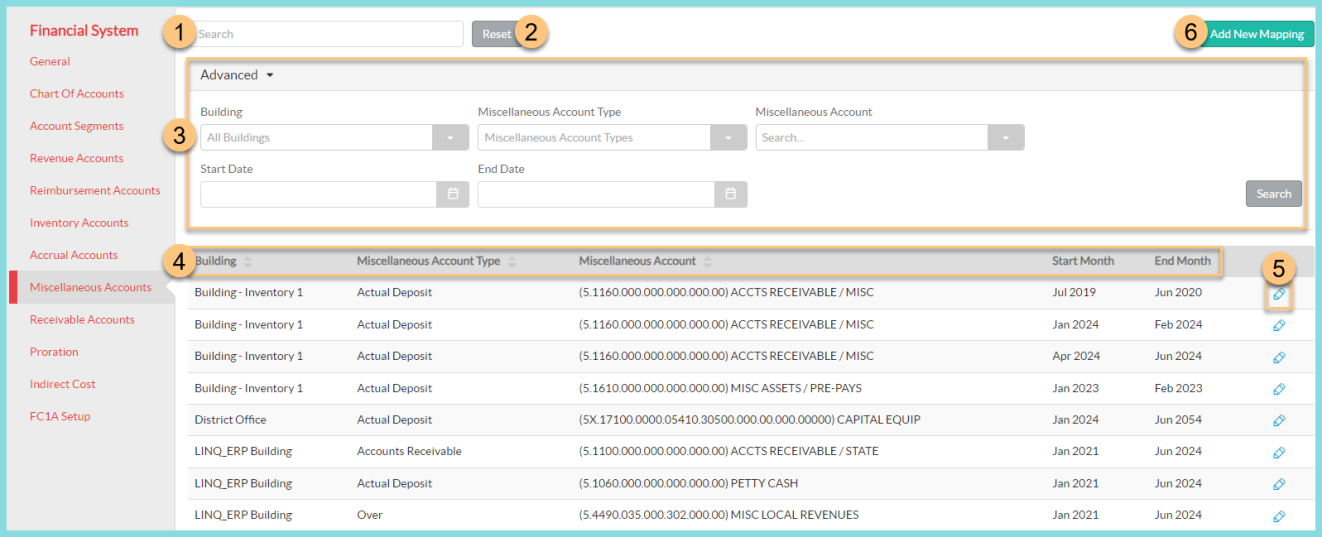
- Search for a previously configured Miscellaneous Account entry.
- Click Reset to restore search and filter options back to their defaults.
-
Click Advanced to open the advanced filtering menu, if needed.
-
Filter configured Miscellaneous Accounts by Building, Miscellaneous Account Type, Miscellaneous Account code, Start and/ or End Date by using the corresponding drop-down menu.
-
Click Search to apply filters to the Miscellaneous Accounts table.
-
-
Notice the Miscellaneous Account table headers including Building, Miscellaneous Account Type, Miscellaneous Account , Start Month and End Month. Click a header to sort data rows by that column.
-
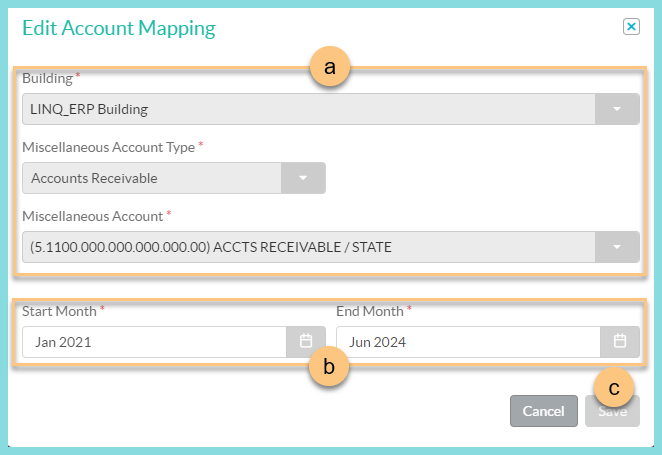
Click the Pencil to open the Edit Account Mapping modal.
-
Once a mapping has been created, the configuration details can be viewed, but cannot be changed.
-
Adjust the Start Month or End Month as necessary.
Note: Adjust the End Month to a previous month to expire the mapping. -
Click Save to apply any changes.
-
-
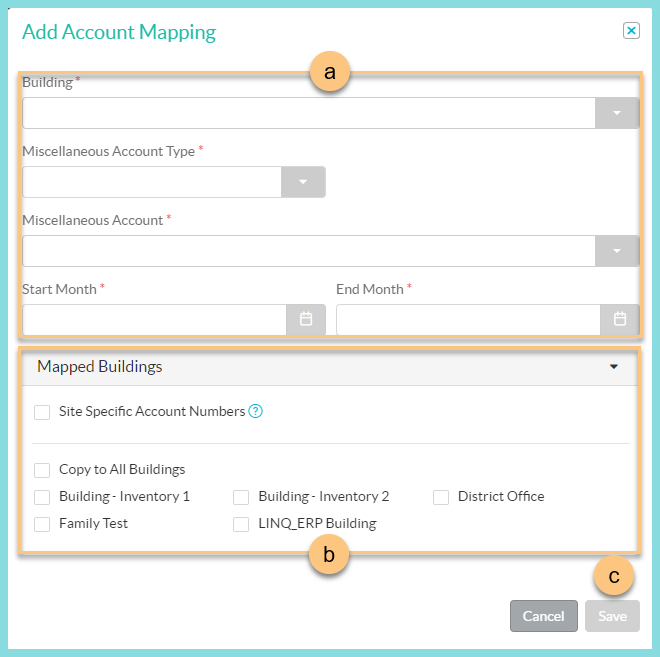
Click Add New Mapping to open the Add Account Mapping modal.
-
Select the Building, Miscellaneous Account Type, Miscellaneous Account, Start Month and End Month.
-
Click Mapped Buildings to expand the building configuration section.
-
Check Site Specific Account Numbers if you have a designated Miscellaneous Account code for each building.
-
Check Copy to All Buildings if this account mapping can be used at all of your serving sites OR,
-
Check the buildings this account mapping applies to.
-
-
Click Save.
Repeat Step 6 as needed.
-